For companies
Your documents, the way you want them, without waiting for the software house.
Delivery notes, invoices, labels and certificates: change logo, texts, columns and conditions yourself. Your software house or the Prynt team connects the data once; after that, the office that uses the documents makes the changes.
14-day free trial, no payment details. Then a license for your organization. Request a license
Are you a developer? Prynt for developers
Who it is for
For the people who use the documents every day.
Companies that print many documents from their ERP: logistics, distribution, manufacturing with certificates, food with labels, spare parts.
Industries
- Logistics
- Distribution
- Manufacturing
- Food
- Spare parts
Administration
Invoices, credit notes and account statements with your logo, your payment notes and the legal texts up to date.
Logistics
Delivery notes without prices, packing lists and parcel labels with the columns your warehouse and carriers need.
Quality
Certificates and declarations of conformity with the right lot, standard and signature, every time.
Owners
A change no longer becomes a ticket and a wait: it is done in-house, approved and traceable.
Before and after
A real change, without a ticket.
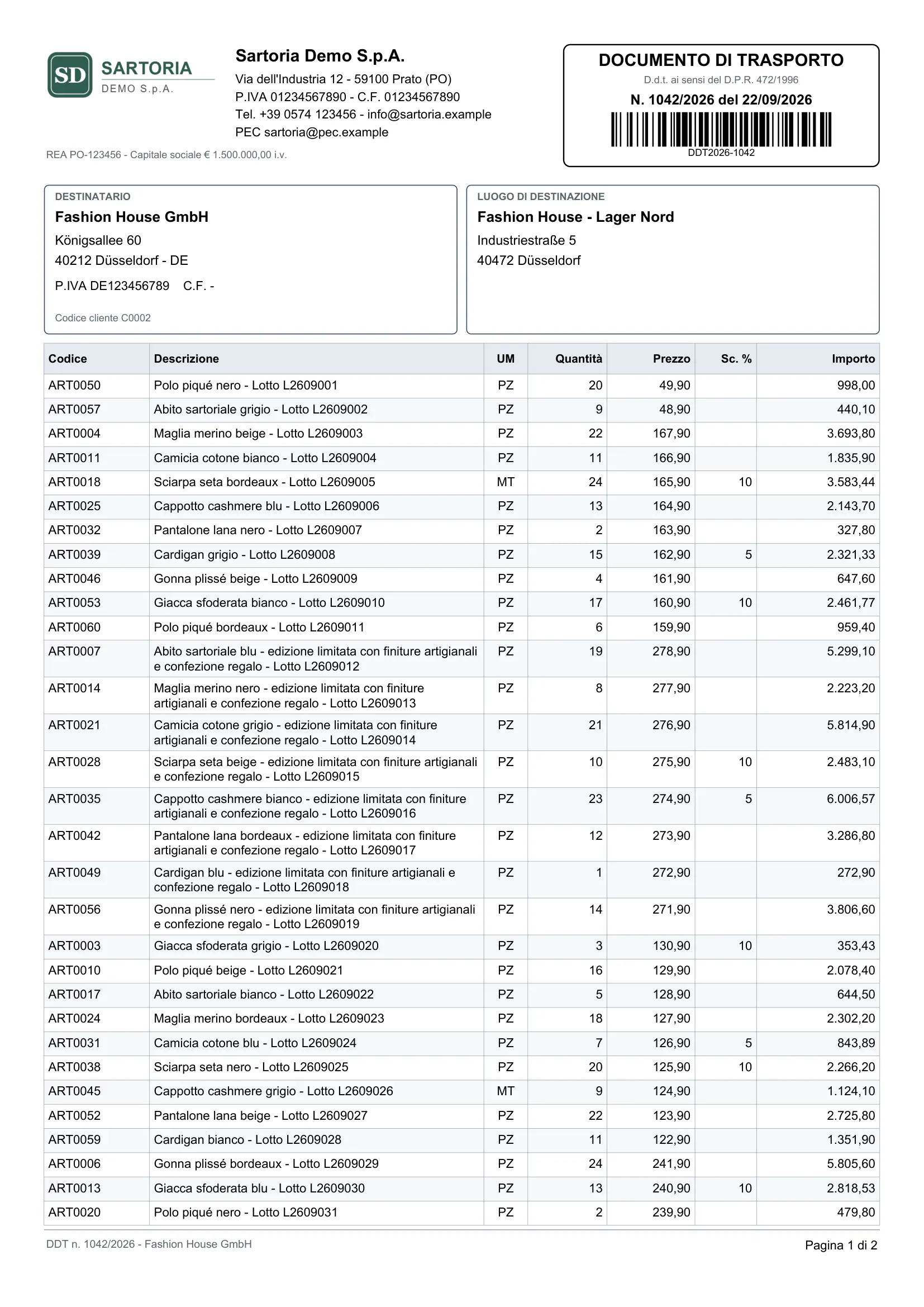
The same delivery note, changed in the Designer by the logistics office. No code and no SQL: the fields have readable names, conditions are chosen from menus.
What changed
Logo and colours
The logo comes from the company's images; the table header takes the brand colour.
Columns in your order
Lot moves next to the description and the price column goes: this delivery note travels without prices.
Show if…
The notes box prints only when there are notes: “Show if Notes is not empty”, chosen from menus.
Fixed texts
The footer line with opening hours and the reference for returns, typed directly on the page.
The condition, as you see it in the Designer
How you start
Your first document in four steps.
When you open Prynt for the first time, the overview guides you with these four steps and a checklist that shows where you are.
- Step 2 is not yours
- Invite your software house with a data-only role, or ask Prynt support from the same panel. You never type a query.
- A real document in the preview
- Pick “Delivery note 1041” from a list and see your change on real data before anyone approves it.
- Whoever approves, decides
- The workspace chooses who approves publications. Requests and decisions stay in the activity log.
Your first document in four steps
Choose a template, have the data connected, customize it and publish it.
- Data connected
- Template chosen
- First preview
- Published
Choose the document
Start from a ready-made template: invoice, delivery note, order, quote, label… It works at once with sample data.
Connect your data
Your software house (or the Prynt team) connects your ERP once and gives the fields readable names. You will never see SQL.
Ask Prynt support- 3
Customize
Change logo, colors, texts and fields by dragging them from the list on the left. Look at the preview with a real document.
Open DDT - 4
Publish
When it is ready, publish it, or ask for approval: nothing reaches your printouts until it is approved.
Safe by design
Change freely. Production stays safe.
Business users change the layout; the data and what is printed stay under control.
- Nothing reaches production without approval
- Changes are saved as a draft. Your ERP keeps printing the published version until someone who can publish approves the request.
- Compare and roll back
- Two versions side by side or overlaid, with the list of what changed. Going back to a previous version takes one click.
- Data prepared once, by a technician
- Your software house or the Prynt team connects the ERP and names the fields. You choose “Customer name”, never a column or a query.
- Your data is only read
- Queries run read-only. People who design layouts never see SQL, connections or credentials, and the server enforces it.
Ready-made templates
Start from a document that already works.
Ten templates of common Italian business documents, rendered here by Prynt with demo data. Each one declares the fields it needs: your technician connects them once, then you only change the graphics.
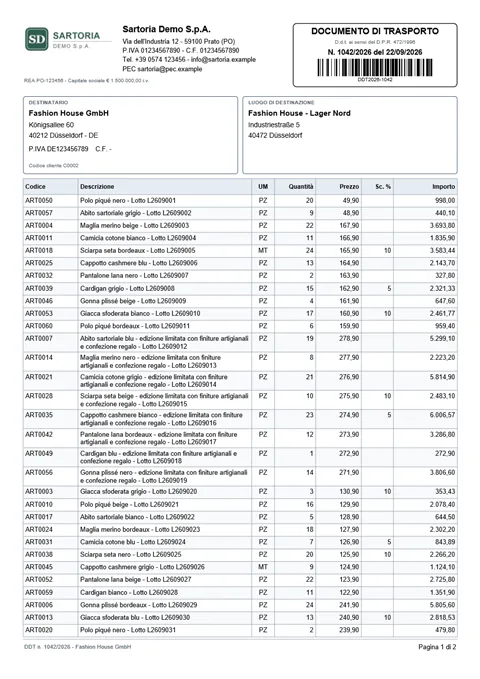
Delivery note (DDT)
Customer and destination, items over several pages, carrier, signatures.
DDT_STANDARD
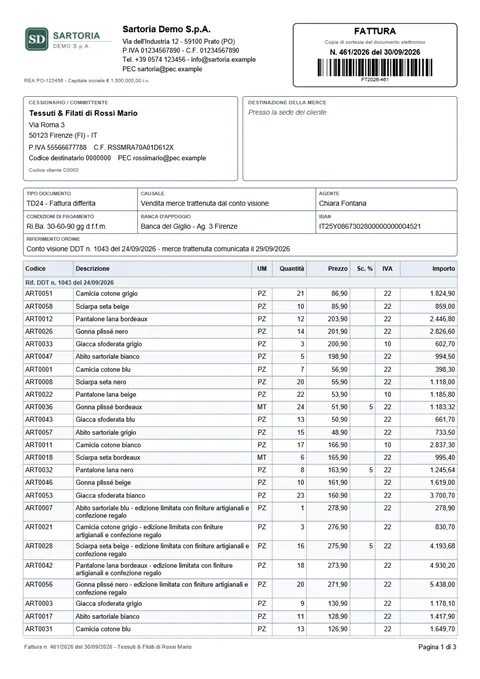
Invoice and credit note
Courtesy copy with VAT summary, due dates and legal notes.
FATTURA_STANDARD
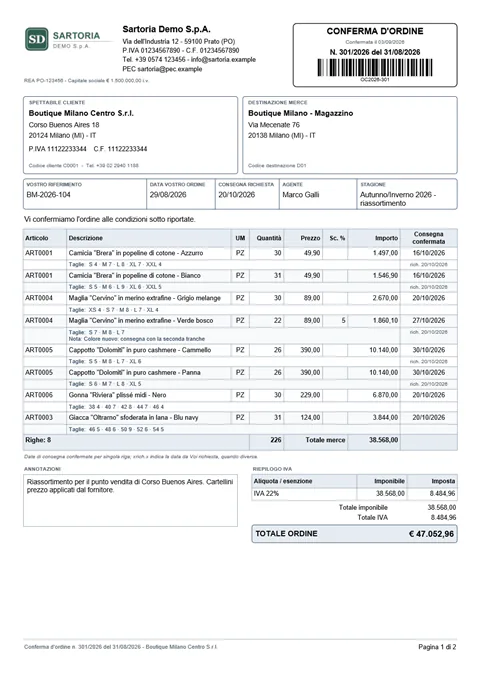
Order confirmation
Confirmed delivery dates, supply terms, two signature boxes.
CONFERMA_ORDINE
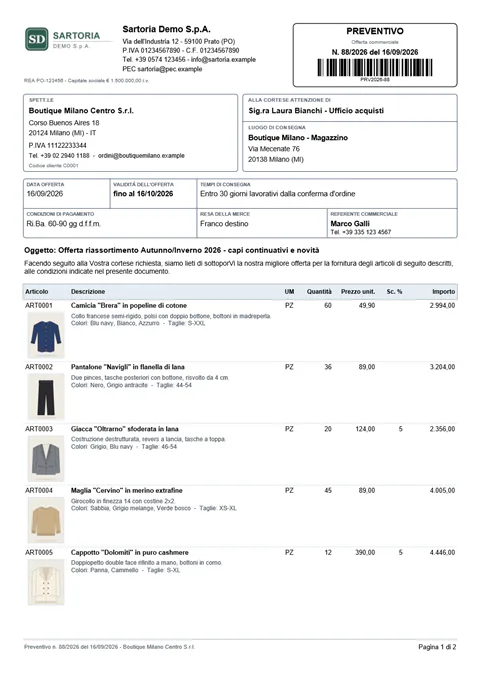
Quote
Item photos, discounts, validity and delivery time.
PREVENTIVO
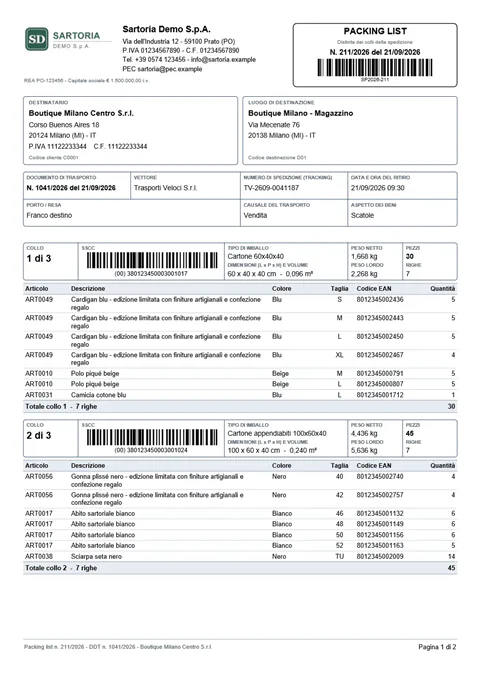
Packing list
Parcels with SSCC, dimensions, weights and contents.
PACKING_LIST
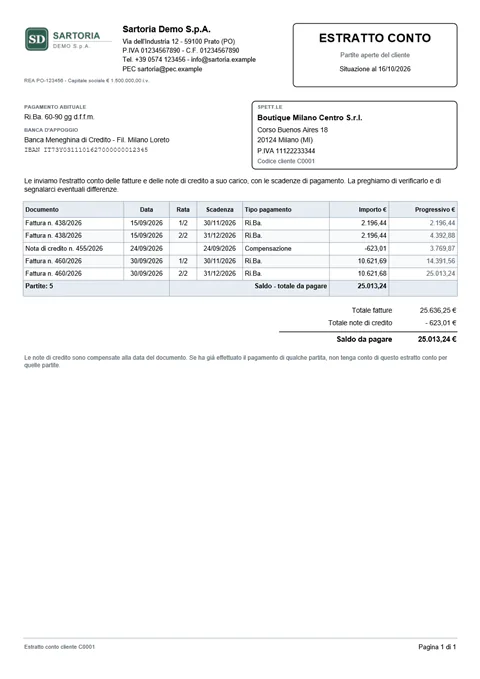
Account statement
Invoices and credit notes of a customer, balance due.
ESTRATTO_CONTO
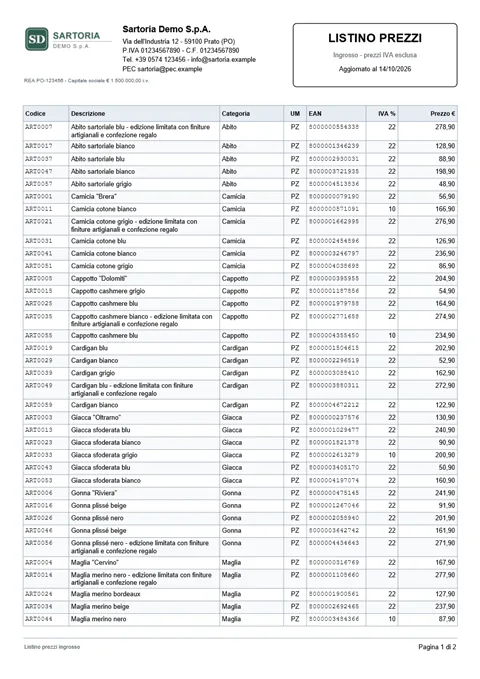
Price list
Category, unit, EAN and price, page numbers.
LISTINO_PREZZI
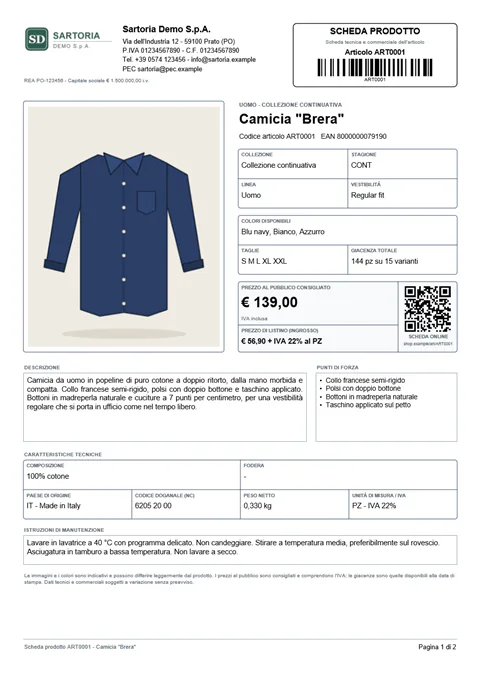
Product sheet
Photo, technical data, variants with EAN-13 barcodes.
SCHEDA_PRODOTTO
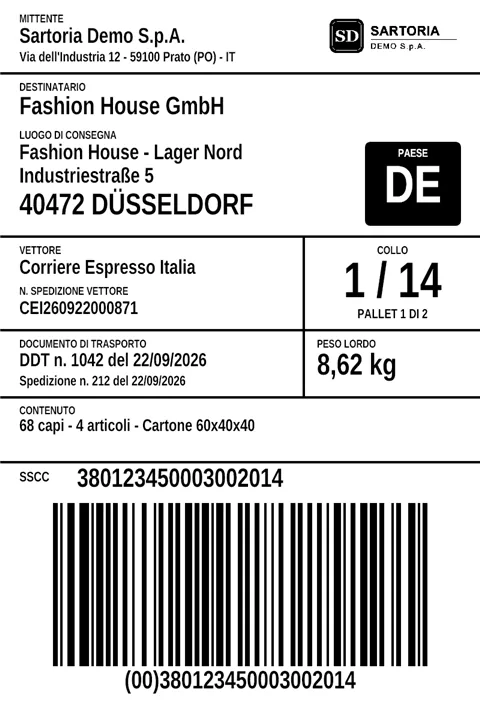
GS1 / SSCC label
100 × 150 mm parcel label for Zebra printers (ZPL).
ETICHETTA_COLLO_SSCCZPL
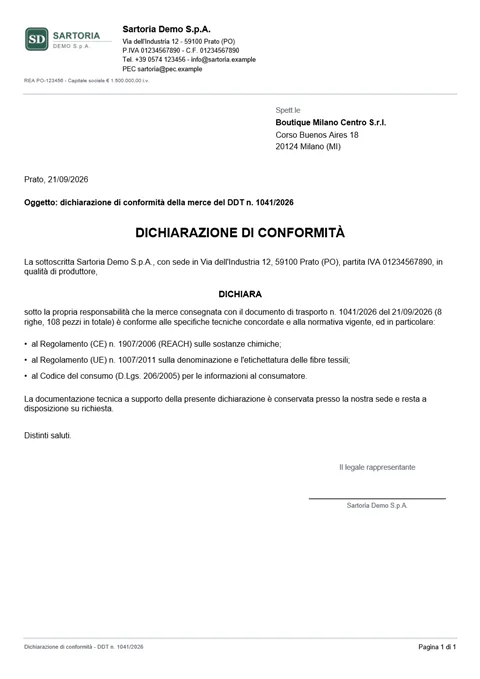
Declaration of conformity
A one-page letter with fields filled from the delivery note.
DICHIARAZIONE_CONFORMITA
Rendered with sample data
Your software house
Keep working with the software house you trust.
Prynt does not replace it: you invite it with a role limited to data and connections, in the workspaces you choose, and you see everything it does.
Prynt reads your ERP's database: Oracle and PostgreSQL today.
Do I need to know SQL or programming?
No. You see a list of fields with readable names, such as “Customer name” or “Document total”, and drag them onto the page. Logo, colours, texts, column order and simple conditions are changed with the mouse and menus.
Who connects Prynt to our ERP?
Your software house, invited with a role limited to data and connections, or the Prynt team. They connect the database and give the fields readable names once per template; you see everything they do in the activity log.
Which ERPs and databases does it work with?
Prynt reads the database your ERP uses: today Oracle and PostgreSQL, also on private networks through the Prynt Gateway. If your ERP uses another database, tell us: SQL Server and MySQL are coming soon.
Can a mistake end up on our printed documents?
Changes stay in a draft until they are published. Business users ask for publication and someone who can publish approves; before approving you can compare the versions, and you can go back to the previous one with one click.
How is Prynt sold?
With a license for your organization. Start with a 14-day free trial, with the ready-made templates and sample data; then ask us for a demo or a license, also for your software house's onboarding of the data.
How quickly do we get a first document?
With a ready-made template you see a printable document with sample data within minutes. Once your data is connected, you choose a real document in the preview, such as a delivery note number, and see the result at once.
Where is our data?
Prynt is hosted in the European Union and only reads your data: queries run read-only, databases on private networks are reached through the outbound-only Gateway, and the rows are not kept after the document is generated.
Change your next document yourself.
Try the ready-made templates with sample data, or see Prynt with your documents in a demo.